

How to set up a 5-band mobile signal booster to enhance 2G, 3G, 4G, and 5G networks at home?
One of the most common concerns our customers have is whether or not their signal booster will be difficult to install.
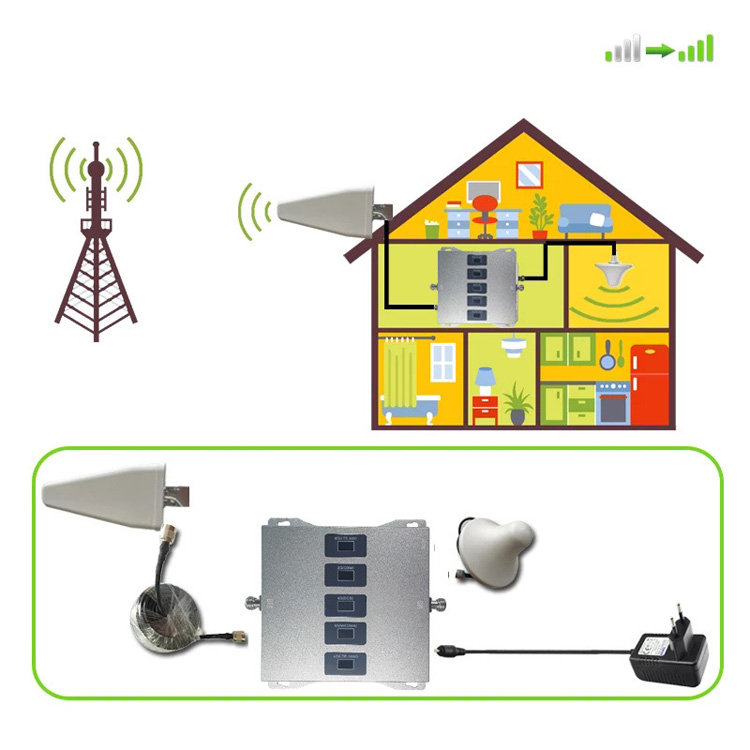
Installing a cell phone booster involves mounting an outdoor antenna to catch a signal, running a cable inside, connecting it to an amplifier, and placing an indoor antenna to broadcast the boosted signal. The process typically requires finding the best signal location, avoiding antenna interference.
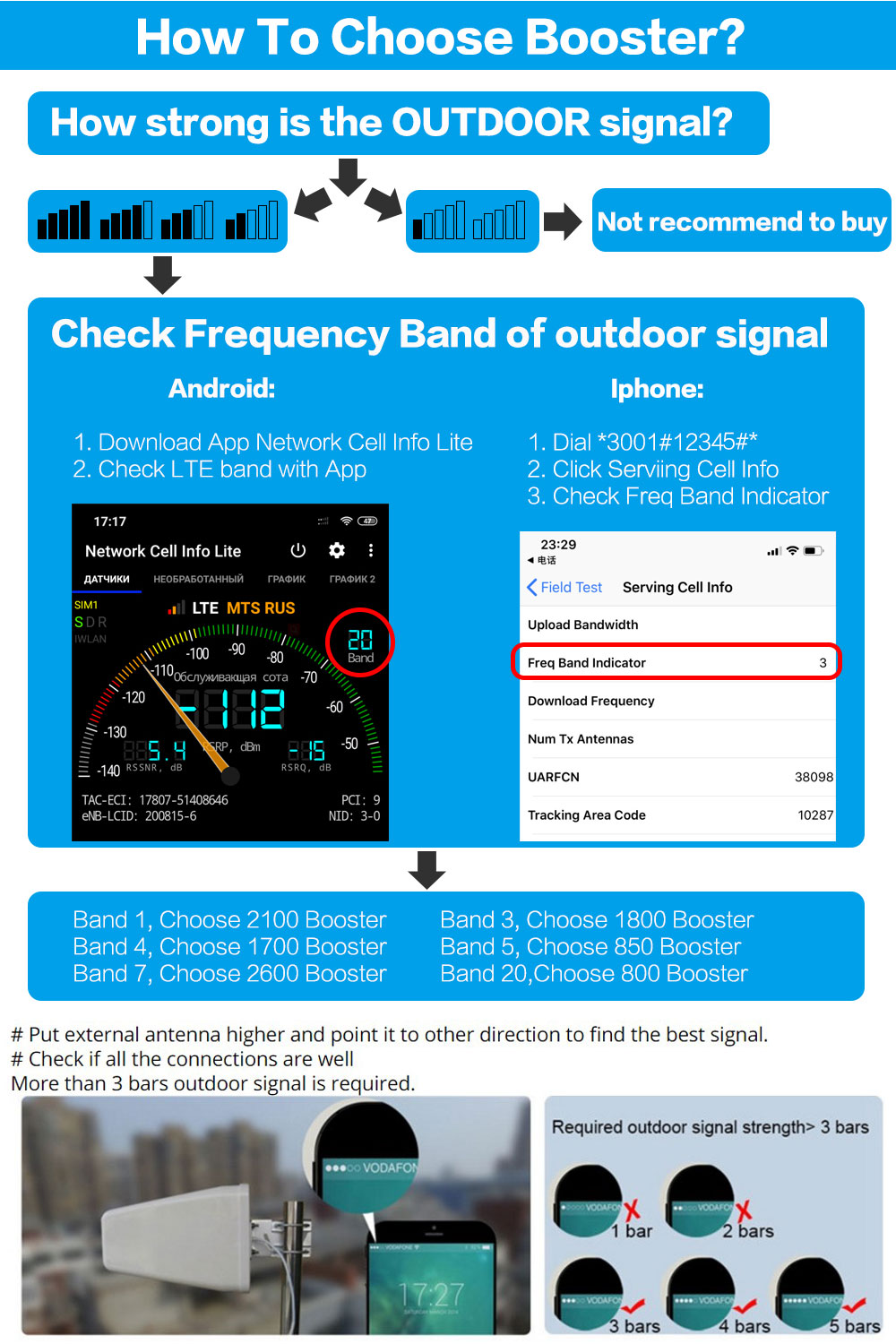
While installation is a multi-step process, each of these steps are simple on their own. Your booster manual provides a nice starting point for your individual installation, but we’re here to help with a step-by-step breakdown all the same. Proper installation can greatly increase the coverage area of your cellular signal amplifier, so it’s well worth the effort.
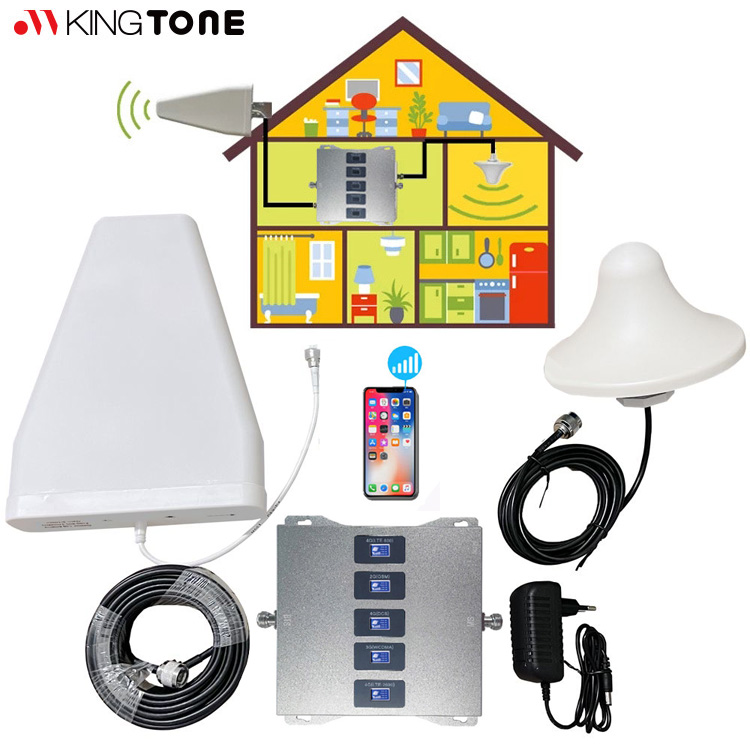
There are five main steps to installing a home signal booster system:
- Find the Best Outside Signal.
- Install Outdoor Antenna.
- Connect to the mobile signal booster.
- Install Inside Antenna.
- Power on.
The most “difficult” part is installing the outside antenna, whether a yagi directional antenna or an omni antenna. This requires climbing onto your roof, mounting the antenna, weatherproofing, and running cable into your home.
You also need some tools, but nothing unusual. A ladder, your smartphone, a Phillips-head screwdriver, an adjustable wrench, and a little bit of elbow grease – and you’ll be enjoying better cellular signal in no time!
Let’s start!
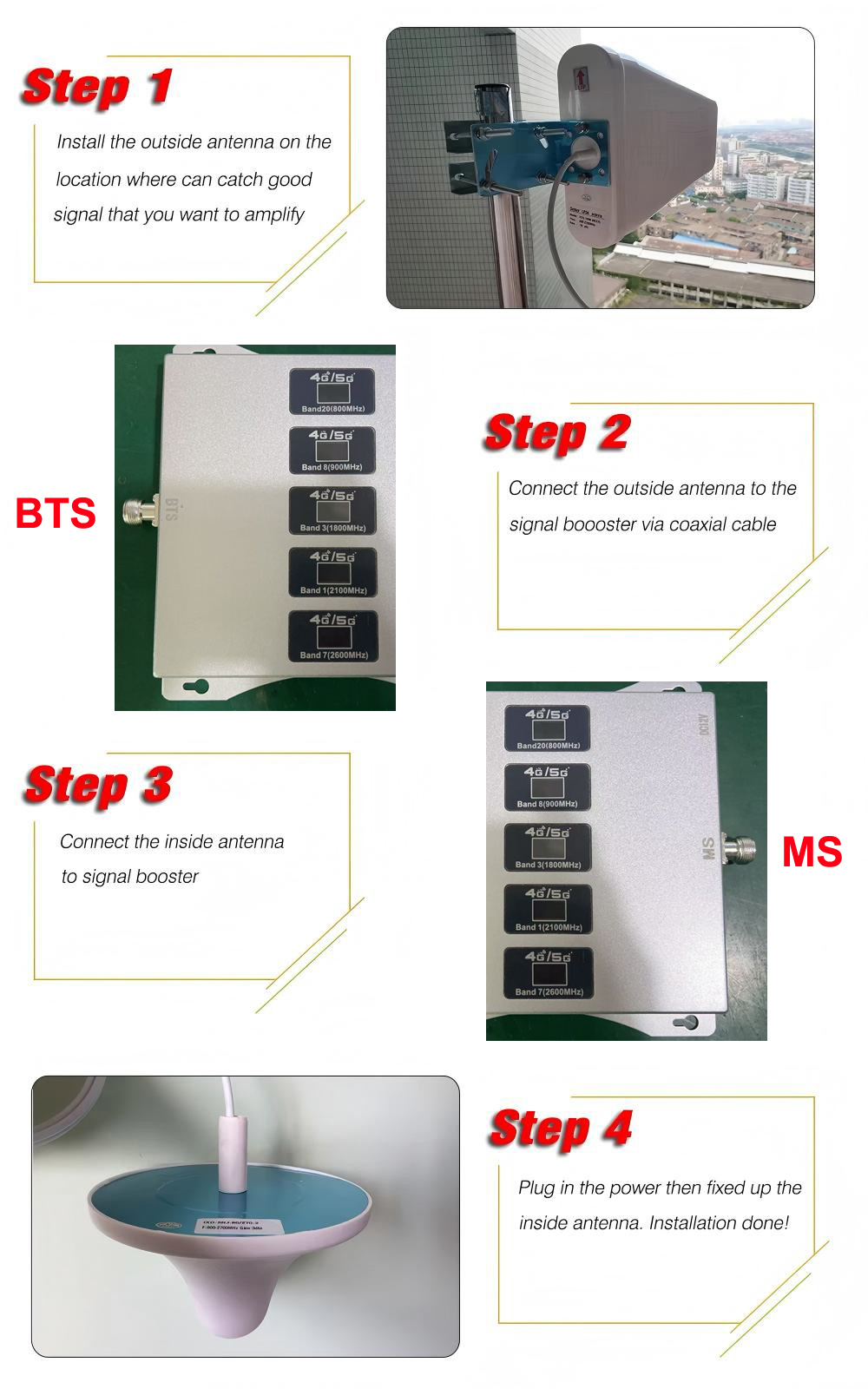
Home Cell Booster Installation Steps
- Find the Best Outside Signal: Use your phone to locate the strongest signal, typically on the roof.
Start by identifying the area outside your home with the best signal. This is the MOST CRUCIAL step of the installation process. Walk around the perimeter of your home and determine the signal strength using one of the following methods: the number of bars on your phone (acceptable), smartphone apps (better), or Field Test Mode (best). - Mount the Outdoor Antenna: Install the antenna on a roof pole or the side of the house, ideally pointing toward your carrier’s nearest tower.
Mount the outdoor antenna in the area with the strongest signal. Position it as high as possible—preferably on the roof using a mounting pole, though the fascia or gable is also acceptable. Ensure the antenna is placed on or near the roof’s edge. If using a LPDA antenna, point it away from the house toward the nearest cell tower.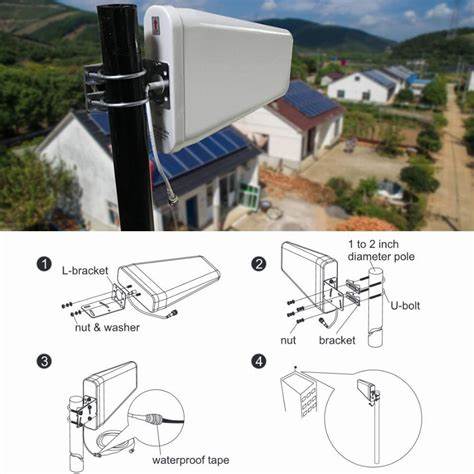
- Run the Cable Inside: Route the coaxial cable from the outdoor antenna into the house, possibly through a vent or a drilled hole. Seal any exterior penetrations with silicone sealant.
After mounting the outdoor antenna, connect the included coaxial cable to it and route the cable into your home, leading to the amplifier. You can run the cable into the attic or use a window entry cable—choose the option that works best for your setup. Ensure the amplifier is placed in a well-ventilated area. - Install the Amplifier and Inside Antenna: Place the amplifier (booster) in a well-ventilated area. Connect it to the outdoor cable and the indoor antenna, ensuring sufficient separation to prevent interference.
Determine where you need the strongest signal indoors and install the indoor antenna in that area. If it’s a panel antenna, mount it on the wall; if it’s a ceiling antenna, mount it on the ceiling. Connect the indoor antenna to the amplifier using the included cable. Ensure there is at least 20 feet of vertical or 50 feet of horizontal distance between the outdoor and indoor antennas to prevent oscillation, which could cause the booster to shut down.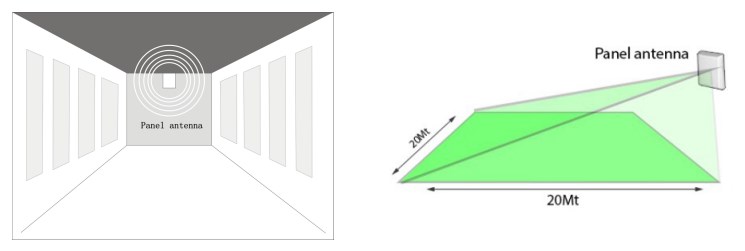
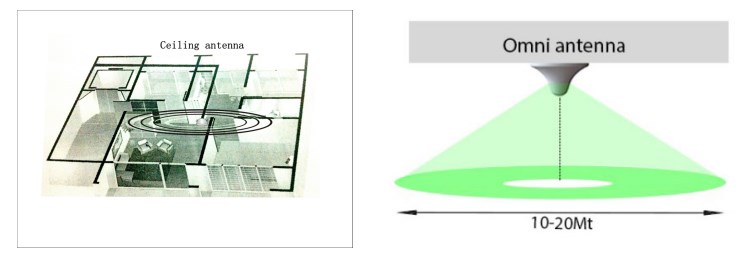
- Power On: Plug the amplifier into a wall outlet and power it on. The booster will take a few seconds to initialize and configure itself.
Check the indicator lights to ensure the system is functioning properly, then test the signal on your phone near the indoor antenna to confirm the boost. If adjustments are needed after installation, reboot the amplifier by unplugging it for 5–10 seconds (similar to resetting a WiFi router) and then plugging it back in.
And that’s it! Enjoy your boosted mobile signal!
Important Tips
Separation is Key: Keep the inside and outside antennas far apart (at least 30 feet for homes, or on opposite sides of the car) to prevent feedback or “isolation” issues.
Use Apps: Use signal-mapping apps like OpenSignal or the Signal Supervisor app for help with aiming and testing.
Safety First: When working on a roof, take necessary precautions.
Direct Antenna: Use a directional (LPDA) antenna aimed at the tower for maximum improvement.
Post time: Mar-31-2026